- QuantNomad's Newsletter
- Posts
- A small Pine Script trick AI missed
A small Pine Script trick AI missed

Vadim Cissa
March 10, 2026
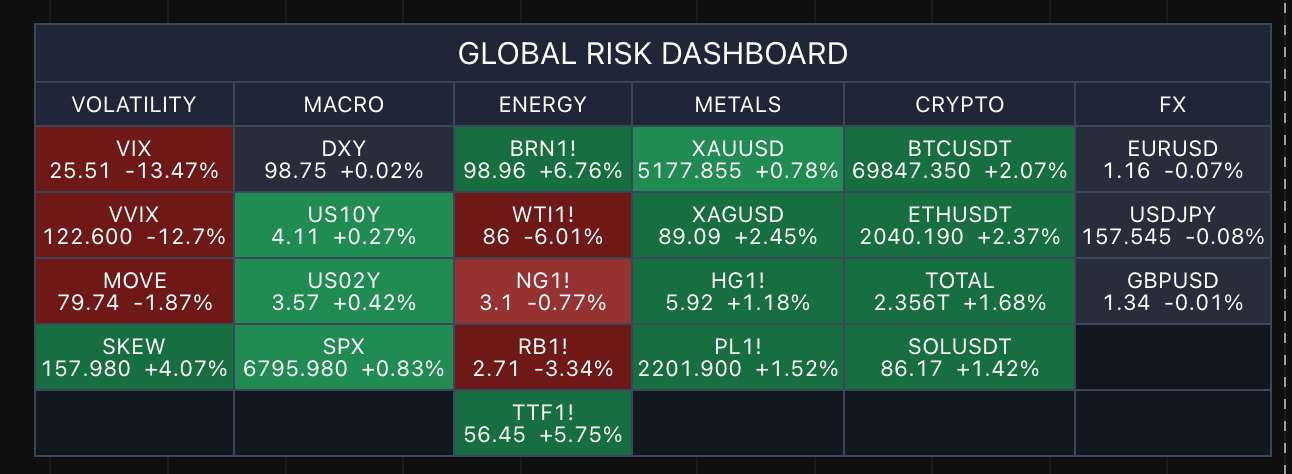
Recently I built a small dashboard for my TradingView charts.
Markets have been pretty chaotic lately, and I was constantly switching between different screeners and watchlists. So I decided to create a Pine Script table that shows all the instruments I want to monitor — directly on the chart.
Something simple. Always visible.
To speed things up, I asked AI to help generate the script.
As expected, it hallucinated a few things at first — wrong parameters, wrong input symbols, the usual stuff. After a few rounds of error messages and fixes, it eventually produced a working dashboard.
The problem?
It could only display 20 instruments.
When I asked AI to increase the number, it told me it was impossible.
So I checked the code.
And found this beauty:
dClose = request.security(sym, "D", close, barmerge.gaps_off, barmerge.lookahead_off)

dPrev = request.security(sym, "D", close[1], barmerge.gaps_off, barmerge.lookahead_off)
Two request.security() calls just to get today's close and yesterday's close.
But Pine already gives you the previous value inside the same request.
So we only need one call, like this:
dClose = request.security(sym, "D", close)
dPrev  = dClose[1]
Once I pointed this out, the script immediately dropped to half the number of security calls — and suddenly the dashboard could display 40 instruments instead of 20.
Same logic. Same result. Half the resources.
The interesting part is that AI didn’t discover this optimization on its own. It needed someone who understood how Pine works to guide it.
That’s the key lesson I keep seeing:
AI can generate a lot of code very quickly.
But knowing what’s actually possible in Pine Script is what allows you to steer it toward better solutions.
If you're curious, you can see the dashboard here.
And if you want to go deeper into combining AI with Pine Script development, I’ll also share more about my upcoming course soon.
More soon.
See Why HubSpot Chose Mintlify for Docs

HubSpot switched to Mintlify and saw 3x faster builds with 50% fewer eng resources. Beautiful, AI-native documentation that scales with your product — no custom infrastructure required.